Productivity
How an AI Assistant Can Manage Email, Calendar, and Daily Tasks
Build a practical daily rhythm across inbox, calendar, meetings, and tasks—with clear read, draft, send, and reschedule permissions.

An AI assistant can manage the preparation and coordination across your email, calendar, meetings, and task list: triage what arrived, protect time, prepare context, draft follow-ups, and show you the decisions that remain. It should not silently send sensitive messages or move important meetings because the day looked crowded.
The useful version is a daily operating rhythm, not four disconnected AI features.
What “manage” should mean
For a first version, let the assistant:
- read agreed inboxes and calendars;
- organize new information;
- create private briefs;
- prepare drafts and proposed task updates;
- flag conflicts and missing decisions; and
- deliver the right context at the right time.
Keep sending, deleting, public sharing, important rescheduling, and promises behind approval until the relevant case is narrow and well tested.
If your main problem is inbox mechanics, start with the deeper AI email assistant guide. This article focuses on the coordination between systems.
The permission ladder
Do not grant one broad concept called “calendar access.” Separate capabilities.
| Level | Calendar | Tasks | |
|---|---|---|---|
| Read | Read selected messages | View selected calendars | View assigned lists/projects |
| Organize | Label or group | Flag conflicts | Categorize or prioritize |
| Draft | Prepare reply | Propose times/invitation | Propose task with owner/date |
| Act | Send approved class of message | Create or move approved class of event | Create/update approved fields |
| Destructive | Delete/archive broadly | Cancel event | Delete/close record |
Start with read and draft. Destructive access is rarely required for an assistant's first job.
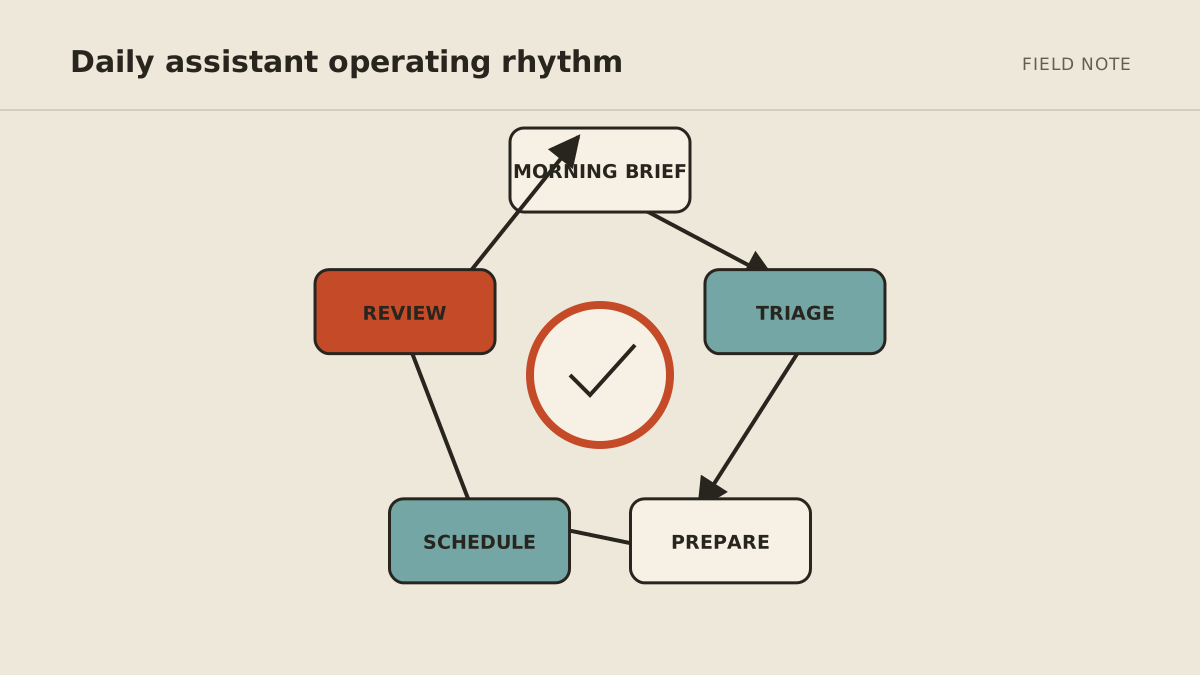
A daily operating rhythm
7:30 a.m.: prepare the day brief
Before the owner opens the inbox, the assistant reviews new items in the approved scope and returns one page:
- messages requiring a decision;
- schedule conflicts or short transitions;
- today's meetings and preparation status;
- overdue tasks that affect someone else;
- promised follow-ups due today; and
- the three decisions most likely to unblock work.
Each item should link to the original message, event, or task. A summary without a source creates another search problem.
The brief should not treat every unread message as work. Notifications, receipts, newsletters, and reference material can be grouped separately unless a written rule makes one important.
Before each meeting: assemble context
At a defined interval—perhaps 30 or 60 minutes before an external meeting—the assistant can prepare:
- objective and agenda;
- attendee roles;
- relevant recent correspondence;
- open commitments from the last interaction;
- required files;
- decisions to make; and
- questions where information is missing.
Limit sources by meeting type. A sales call may use the CRM, proposal folder, and relevant thread. It should not search every private file because a name matched.
If the event lacks an agenda or the identity is ambiguous, ask rather than assembling unrelated material.
After each meeting: propose the follow-through
From notes or an approved transcript, the assistant can extract:
- decisions made;
- tasks with proposed owner and due date;
- unanswered questions;
- documents promised; and
- a follow-up draft.
The word proposed matters. People often discuss an action without assigning it. A person should confirm commitments before they enter the task system or reach an external participant.
After approval, the assistant can update the chosen source of truth and schedule a reminder. Do not maintain one task in three systems unless the synchronization rules are explicit.
Midday: protect the calendar
The assistant can flag:
- double bookings;
- meetings without preparation time;
- travel or location conflicts;
- blocks that violate written working-hour rules;
- accepted events missing necessary participants or links; and
- a day with no space for agreed priority work.
It can propose a repair but should not decide that one person's meeting matters less than another's.
Useful scheduling rules are concrete:
- no external meetings before 9:30 a.m.;
- preserve Tuesday and Thursday 9–11 for focused work;
- leave 15 minutes after sales calls;
- offer only three approved windows;
- never move client, medical, legal, or family events without approval; and
- do not expose private event titles when checking availability.
4:30 p.m.: close the loops
An end-of-day brief should not repeat the morning. It should show change:
- important messages still unanswered;
- tasks created, completed, or overdue;
- drafts waiting for approval;
- decisions promised but not recorded;
- tomorrow's early preparation needs; and
- tool failures or items the assistant could not classify.
The owner can approve a small batch of drafts, reassign unclear tasks, and begin tomorrow without relying on memory.
How the assistant should handle ambiguity
A reliable assistant does not turn every uncertainty into a notification. It follows a written fallback.
Calendar conflict: preserve both events, show participants and constraints, propose options, and ask the owner. Do not move either event.
Unclear email intent: summarize the likely interpretations, show the source, and do not draft a commitment.
Missing task owner: create no assignment; list the proposed owner and evidence for approval.
Contradictory due dates: preserve both source statements and ask which is authoritative.
Failed connection: mark which source was unavailable and produce a partial brief labeled incomplete. Do not imply everything was checked.
What can eventually run without approval
After a review period, some actions may be safe to promote:
- apply an internal label;
- create a private draft;
- deliver a private brief;
- add a tentative focus block within a preapproved window;
- create a proposed task in an intake queue; or
- remind the owner about a commitment already recorded.
External sends, participant changes, event cancellation, important record changes, and deletion should remain approved unless the action is exceptionally narrow, reversible, and monitored.
Copyable daily-assistant brief
ROLE
Prepare the owner's daily operating view from [named inboxes],
[named calendars], and [named task source].

MORNING OUTPUT
1. Decisions needed today
2. Schedule risks
3. Meeting preparation status
4. External commitments due
5. Overdue items affecting another person

MEETING OUTPUT
Before: objective, context, open commitments, source links, questions.
After: proposed decisions, tasks, owners, dates, and follow-up draft.

END-OF-DAY OUTPUT
Show unresolved changes, waiting approvals, tomorrow's preparation,
and any source or tool not successfully checked.

ASK FIRST
Any send, invitation, reschedule, cancellation, commitment,
important task assignment, or conflicting-source decision.

NEVER
Expose private event details, delete messages or events,
invent missing facts, or search sources outside the defined scope.
Test before you trust the routine
Use past examples to test:
- a normal day;
- two overlapping meetings;
- a sensitive event with a private title;
- a long email thread with an unresolved request;
- meeting notes with no clear task owner;
- conflicting due dates; and
- one unavailable tool.
Review source accuracy, not just writing quality. A polished brief can still omit the message that mattered.
Measure owner time spent triaging, meeting-preparation completeness, overdue external commitments, major draft edits, calendar conflicts caught, false urgent flags, and review time. The system is working when the owner makes fewer avoidable context switches and misses fewer agreed follow-ups.
When a managed assistant makes sense
A built-in email or calendar feature may be enough for summaries and drafting. A cross-tool agent becomes more useful when the task needs state and coordination: a message affects a meeting, the meeting creates a task, and the task requires a later follow-up.
That broader workflow also needs someone to maintain permissions, connections, and rules. Use the no-code setup playbook if you want to own it. If you want that operating layer handled, review the managed email and calendar assistant, then book a MyAgnts setup call. No task prep is required; we will learn how coordination works today and identify a practical candidate.