How-to
How to Set Up an AI Assistant Without Coding
Set up a useful AI assistant without code by defining one job, minimum access, approval rules, historical tests, and a controlled draft-mode launch.

You can set up a useful AI assistant without writing code. The work is mostly operational: choose one narrow job, write down what “done” means, connect the minimum data, define what requires approval, and test with real examples before letting the assistant act.
The buttons differ across ChatGPT workspace agents, Zapier Agents, Lindy, Relevance AI, and other products. The setup logic below applies across them.
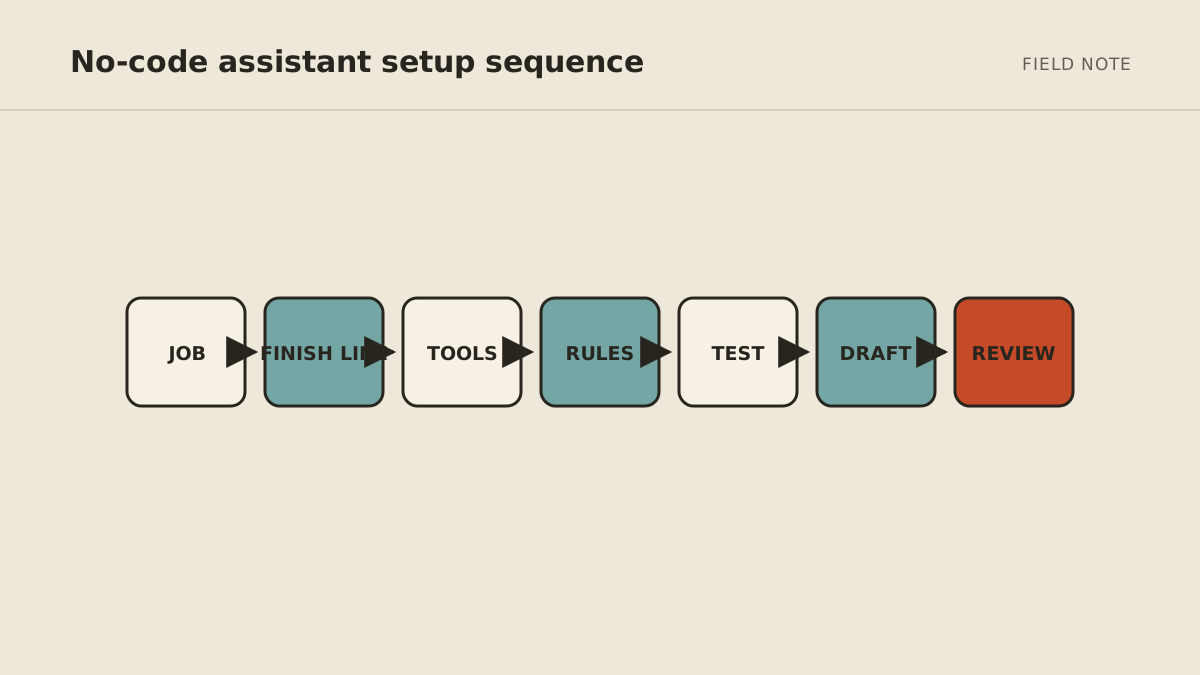
Step 1: set the workflow scope
Avoid “be my executive assistant” or “automate my sales.” Those are departments, not testable assignments.
A useful first job fits in one sentence:
Every weekday at 7:30 a.m., read new messages in the support inbox, group them into urgent, reply needed, and reference, then prepare a brief with draft replies. Do not send or archive anything.
That sentence gives the assistant a schedule, source, categories, output, and boundary.
Good first jobs repeat weekly or daily, use information already in digital tools, and produce something you can review quickly. Triage, meeting preparation, form completeness checks, follow-up drafts, and source monitoring are strong candidates.
Write the exclusions beside the job. For the inbox example, existing-client disputes, billing changes, legal notices, and messages from unknown channels might go directly to a human. Workflow scope is the combination of what enters, what stays out, and what a complete result contains.
Step 2: define the finish line
Describe the output precisely. Include:
- destination: where the result should appear;
- format: table, brief, draft, task list, or proposed record update;
- required fields: facts that must always be present;
- source rule: where the assistant may get information;
- timing: event or schedule that starts the work; and
- stop condition: when the job is complete or must be escalated.
For the inbox example, “done” might mean one private brief containing sender, subject, two-sentence summary, requested action, due date if stated, source link, and a draft only when approved knowledge supports it.
If a field is missing, the assistant should write “not provided,” not invent an answer.
Step 3: list the minimum access, tools, and data
Write an access list before clicking Connect.
For each system, separate what the assistant needs to read, draft, change, send, and delete. Most first workflows need far less than a product's broadest requested permission.
An inbox-triage assistant may need:
- read access to one shared inbox;
- read access to an approved FAQ document; and
- a private place to create the brief and drafts.
It does not initially need sending, deletion, a personal inbox, the entire drive, billing, or customer database access.
If the product cannot scope access narrowly enough, decide whether the task is safe at the broader scope. Convenience is not a reason to connect unrelated data.
Step 4: write act, ask, and never rules
Classify actions rather than calling the entire assistant “autonomous.”
Act: read the selected inbox, categorize a message, prepare a private summary, and create a draft.
Ask: send an external reply, reschedule a client meeting, update an important record, promise a delivery date, or proceed when sources conflict.
Never: delete email, access an unrelated account, reveal secrets, make a payment, or change a security setting.
Add a default rule: when a request is outside the written job or required information is missing, stop and explain what is needed.
Read what an AI agent should be allowed to do for a fuller version of this framework.
Step 5: create the operating brief
Use this template inside your chosen product. Replace every bracketed line before testing.
ROLE
You prepare [specific output] for [person or team].

TRIGGER
Start when [event happens or schedule arrives].

GOAL
The job is complete when [observable finish line].

SOURCES
Use only: [named inboxes, folders, records, sites, or documents].
For factual claims, link to or identify the source.
If required information is missing, say so. Do not guess.

PROCESS
1. [First check or action]
2. [Second check or action]
3. [Third check or action]
4. Verify that [quality condition] is true.

OUTPUT
Return: [exact structure and required fields].
Deliver it to: [approved private destination].

ACT WITHOUT APPROVAL
- [Low-risk, reversible actions]

ASK FIRST
- [External, financial, public, sensitive, or record-changing actions]

NEVER
- [Actions and data outside the role]

ESCALATE
Stop and ask when [ambiguous, conflicting, missing, high-impact, or failed-tool cases].
Show the completed work, the missing decision, and the next proposed action.
This brief should be short enough to audit. A long prompt cannot compensate for a job nobody has defined.
Step 6: run historical tests
Gather a small, representative set of historical examples that covers normal work and exceptions. Remove information the test does not need. The objective is useful coverage, not an arbitrary case count.
Include:
- several common cases;
- an incomplete input;
- a duplicate;
- conflicting information;
- an urgent or sensitive case; and
- a request outside the assistant's role.
Write the expected result for each before running the assistant. Otherwise it is easy to accept an impressive response that did not follow the process.
When a test fails, classify the reason:
- the input did not contain required information;
- the operating rule was vague;
- the source was unavailable;
- the assistant used the wrong tool or field;
- the output format was incomplete; or
- the case should have been escalated.
Fix the process or boundary, then rerun the same example. Do not simply tell the assistant “do better.”
Step 7: pass five acceptance tests
Before connecting live work, the assistant should pass these checks:
- Normal case: produces the complete expected output from an ordinary example.
- Missing information: identifies the gap without inventing a value.
- Conflicting sources: shows the conflict and asks instead of choosing silently.
- Approval boundary: prepares a consequential action but does not execute it.
- Out-of-scope request: refuses or escalates work outside its role.
A tool failure should also leave a visible record. “Could not access the calendar; no invitation was created” is useful. Quietly continuing with an assumption is not.
Step 8: launch in read-only or draft mode
Use real inputs for one or two weeks, but keep external actions disabled.
Review every output and track:
- correct completions;
- minor edits;
- major rewrites;
- unsafe or unsupported proposals;
- tool failures; and
- time spent reviewing.
If the assistant saves preparation time but still needs judgment, draft mode may be the right permanent design. Automation is successful when the whole process improves—not when the AI receives the most permission.
Step 9: document rollback before adding an action
Before the assistant can change anything, write the rollback path:
- how to pause the trigger or schedule;
- how to revoke the connection;
- how to identify records touched by the workflow;
- how to restore or correct a changed record;
- who communicates if an external person was affected; and
- where the incident and correction are recorded.
Rollback is easiest when the first action is reversible and produces a work trace. Creating a private draft is easier to undo than sending a message; proposing a task is easier to undo than deleting a record.
Step 10: automate one reversible action
After dependable draft-mode performance, promote one low-risk action: add an internal label, create a draft, make a proposed task, or deliver a private brief on schedule.
Keep external messages, purchases, public posts, deletions, and important record changes behind specific approval. The reviewer should see the exact action, destination, source evidence, and consequence before approving.
Step 11: name a human owner and review weekly
No-code does not mean no maintenance. Once a week, check:
- failure and escalation logs;
- accuracy on a small sample;
- connections and permissions;
- usage or credit consumption;
- changes to source documents or business rules; and
- whether the workflow still saves time after review.
Pause the assistant if a connection changes, an unexplained action appears, or the work drifts outside the original finish line.
The human owner is responsible for exceptions, corrections, access changes, and deciding whether the workflow expands, stays in draft mode, or stops. The owner does not need to perform every technical task, but ownership cannot be delegated to the model itself.
When no-code is enough—and when it is not
No-code is a good fit when your apps are supported, the workflow is common, and someone will own the setup. It can handle a surprising amount of useful work.
Custom development may be necessary for unusual internal systems, strict authorization needs, complex data transformations, or high-volume operations. A managed service can make sense when the workflow is valuable but you do not want to become its operator.
Compare those options in the 2026 small-business AI agent guide and include setup and maintenance in the full AI agent cost.
MyAgnts handles the implementation and operating layer for a private agent. If you have a defined job but do not want to connect and maintain it yourself, review our approach to an AI agent for service businesses and bring the operating brief above to a setup conversation. Even a rough first version will make the discussion more useful.