Pricing
How Much Does an AI Agent Cost for a Small Business?
Compare AI agent options with a transparent total-cost worksheet covering service price, usage, hosting, setup, maintenance, recovery, review, and opportunity cost.

The cost of an AI agent is not one universal market price. A self-serve assistant, a no-code workflow, a managed service, and custom software put different responsibilities on the buyer.
The fair comparison is the cost of a finished, maintained workflow. That includes the visible subscription or service price and the less visible work of setup, hosting, usage, review, maintenance, and recovery.
MyAgnts publishes this guide and sells a managed service. The goal of the worksheet below is to make that position—and the tradeoffs—easy to evaluate.
First, price one workflow
“An AI agent for my business” is too broad to estimate. Define a trigger and result instead:
When an approved inquiry arrives, gather the account context and prepare a follow-up draft for the assigned owner.
Now you can identify the systems, run frequency, permission level, exception paths, and review time. Two vendors can quote against the same scope, and a DIY estimate can include the same responsibilities.
Four common buying models
Self-serve assistant
You subscribe to a product and configure the workflow yourself. This can be the lowest-cash-cost route when the product already supports the job and an internal operator has the time and skill to maintain it.
Include seat minimums, connected products, usage limits, setup time, and ongoing operator time. List prices and feature boundaries change, so use each vendor’s official pricing page on the day you compare.
No-code or low-code platform
You assemble tools, triggers, and logic using a workflow platform. This can provide more control than a general assistant without requiring a custom application.
Count platform tasks or actions, model usage, third-party tools, hosting where separate, and the person responsible for debugging the workflow. A visually simple flow may still hide complicated exception handling.
Managed AI agent service
A provider configures and operates the workflow. The service may bundle the runtime, setup, updates, connections, support, and ongoing tuning into one price.
MyAgnts’ current Private Operator offer is $500 per month, as listed on the pricing page. The important comparison is not $500 versus one software seat. It is the included operating responsibility versus the full internal cost of the alternative.
Managed can fit when owner time is constrained and the workflow is important enough to maintain. It may be a poor fit when you enjoy operating the system, need full infrastructure control, or only need an occasional chat tool.
Custom development
Custom software can be appropriate for proprietary systems, product-facing experiences, complex authorization, unusual volume, or requirements a platform cannot support.
Ask an estimate to separate discovery, implementation, evaluation, deployment, monitoring, and maintenance. A narrow specification can be quoted; “build an AI employee” cannot be priced honestly.
The complete cost model
Use the same categories for every option, even when a provider bundles several into one fee.
Subscription or service price
Record monthly fees, seat minimums, annual commitments, included support, and required companion subscriptions. Do not convert an annual plan into a lower monthly figure without also noting the commitment.
Model usage
Record how the vendor measures consumption: tokens, credits, messages, actions, tasks, tool calls, or completed runs. Test one representative workflow to see how many billable units it actually consumes, including retries.
Hosting
Some products include the runtime; custom and self-hosted options may not. Include compute, storage, queues, logs, backups, domains, and any network services required to keep the workflow running.
Setup time
Someone must map the process, prepare examples, connect accounts, define boundaries, configure instructions, test historical cases, and review the pilot. Multiply internal hours by an honest value of that person’s time, even if no invoice is issued.
Maintenance
Connections expire, fields change, source websites move, business rules evolve, and new exceptions appear. Assign time for reviewing failures, updating instructions, testing changes, and checking access.
Human review
Read-only and draft-only modes still use attention. Measure the minutes required to review a normal run and an exception. If review remains heavy, the workflow may still be useful—but the time belongs in the model.
Incident recovery
Estimate the expected work to detect, contain, correct, and document a failure. Include duplicate sends or records, uncertain provider responses, broken schedules, expired credentials, and recovery from an incorrect update.
Opportunity cost
Operating the system displaces other work. If a founder spends a half-day each month maintaining an agent, the cost is not only their hourly rate; it is also the highest-value work that did not happen. Keep this estimate conservative and visible rather than pretending owner time is free.
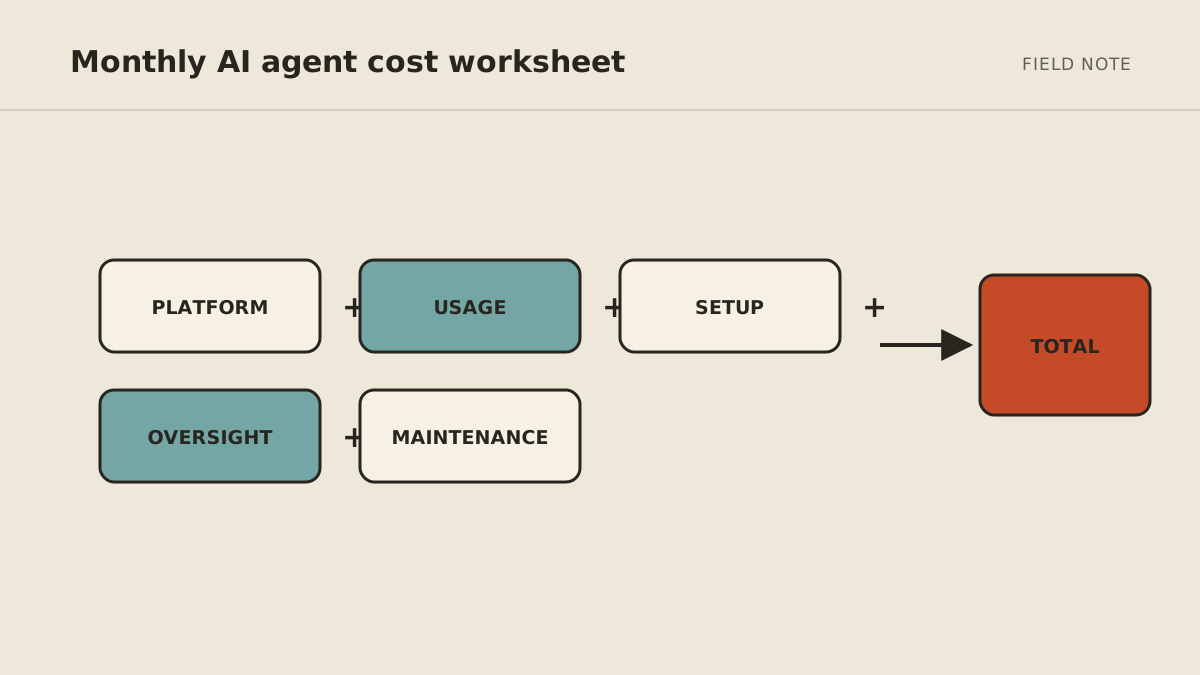
A transparent total-cost worksheet
Complete this table once per option using the same workflow and period.
| Cost category | Included by vendor? | Cash cost | Internal hours | Assumption or evidence |
|---|---|---|---|---|
| Subscription or service price | $ | Current plan and commitment | ||
| Model usage | $ | Units per representative run | ||
| Hosting | $ | Runtime, storage, logs, backups | ||
| Setup time | $ | Mapping, connections, tests | ||
| Maintenance | $ | Review and change allowance | ||
| Human review | $ | Normal and exception review | ||
| Incident recovery | $ | Expected correction effort | ||
| Opportunity cost | $ | Work displaced by operation | ||
| Total monthly equivalent | $ | hours |
Keep one-time setup visible, then spread it over the period used for the decision. Do not hide it inside the first month for one option and amortize it for another.
An illustrative comparison
Suppose a recurring brief can be built with a low-cost self-serve product. The product fee may be small, but an owner still maps sources, tests output, repairs connections, and reviews each run. A managed service has a higher visible fee but may include much of that operating work.
Neither is automatically cheaper. Put actual estimates into the worksheet:
- For self-serve, count owner setup and maintenance explicitly.
- For managed, confirm what setup, hosting, usage, updates, and support the fee includes.
- For custom, separate the initial build from ongoing operation and recovery.
- For every option, count human review and incidents rather than assuming perfect output.
If the workflow is simple, occasional, and enjoyable to configure, self-serve may be the better fit. If it is recurring, operationally important, and competing with higher-value owner work, managed service may justify the difference.
Compare value without manufacturing certainty
Estimate value from observable categories:
- Time returned: current task time minus review, correction, and operating time.
- Delay reduced: the conservative value of having a useful result ready sooner.
- Missed steps reduced: the value of a more visible queue or repeatable checklist.
- New capability: work that was not consistently completed before.
Then use:
estimated monthly value − total monthly equivalent cost = planning estimate
This is a decision aid, not proof. Run a bounded pilot, record the baseline, and replace assumptions with observed evidence. Stop or revise a workflow whose useful outcome does not justify its operating cost.
Questions to ask every provider
- What exactly is included in setup?
- Is model or tool usage capped, bundled, or billed separately?
- Where does the workflow run, and who operates that environment?
- Who repairs broken connections and failed scheduled runs?
- How are corrections tested and documented?
- Which actions stay behind human approval?
- What support response and exit process are included?
- Which costs in this worksheet remain with the customer?
The quality of the answer matters as much as the quoted fee.
Price the first pilot
Use the AI agent readiness scorecard to define one candidate, then complete the worksheet for DIY, platform, managed, and custom routes that genuinely fit.
If you want to evaluate the bundled operating route, review the managed AI agent service. MyAgnts may not be the right choice if you prefer hands-on infrastructure control or only need occasional assistance; the purpose of a setup conversation is to find that out before committing.