Guides
Subscription Creep: A 30-Minute Audit to Cut Recurring Charges
Find forgotten subscriptions, calculate their annual cost, decide what to keep or cancel, and verify that recurring charges actually stop.
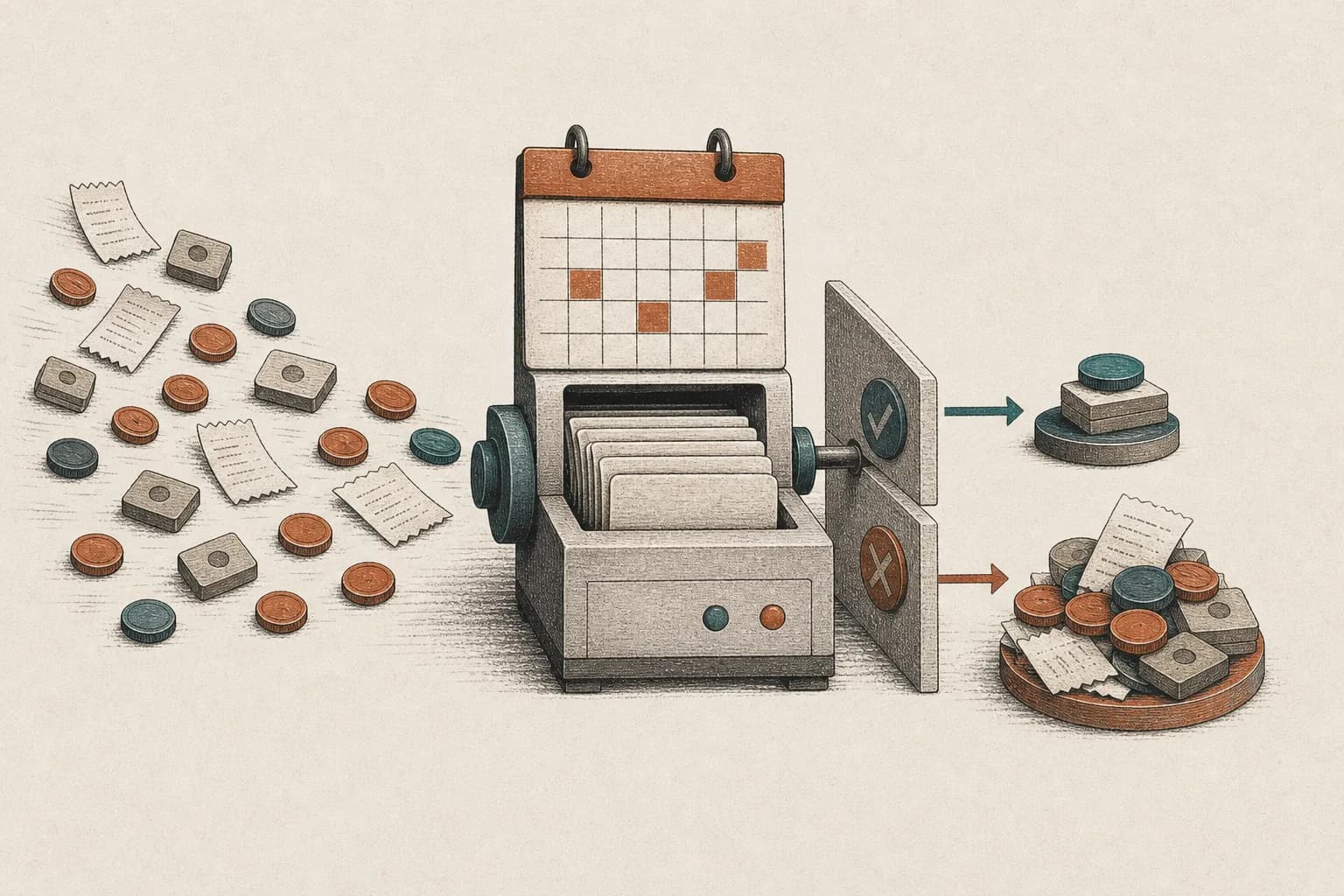
Subscription creep is the buildup of recurring charges that continue after you stop noticing, using, or valuing them. The fix is not to cancel everything. It is to make every charge visible, convert it to an annual cost, and give it an explicit decision.
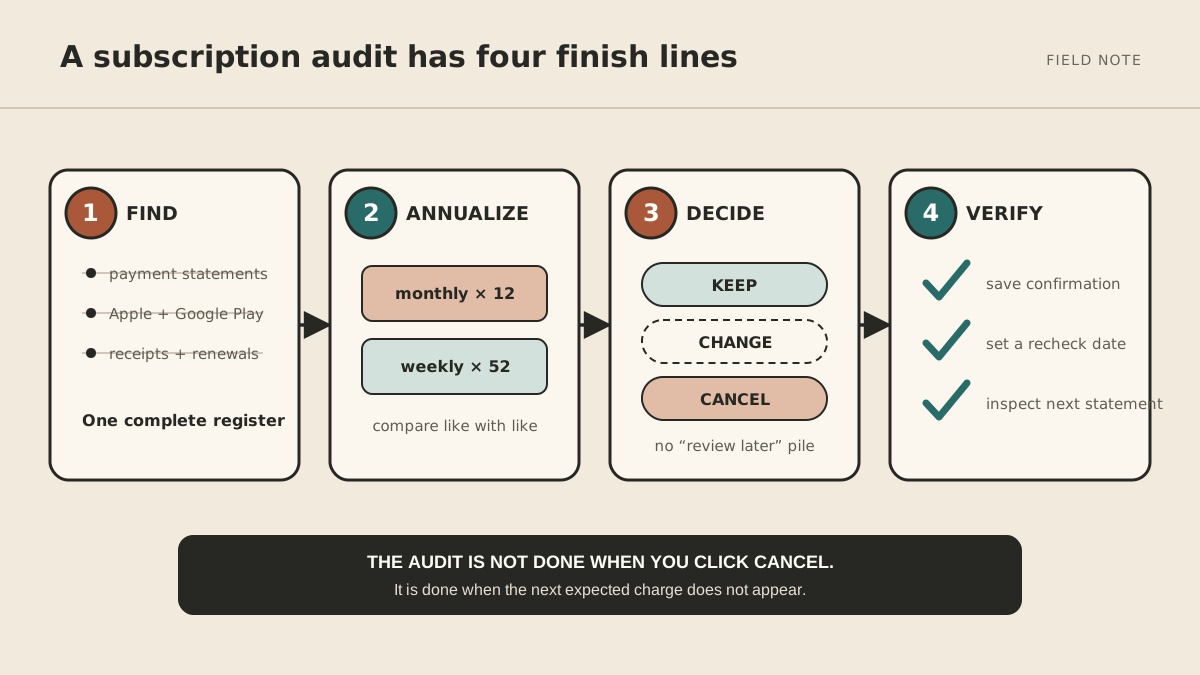
Set a 30-minute timer. By the end of this audit, you should have one list of subscriptions, a keep-or-change decision for each, and a date to confirm that every cancellation worked.
Why subscription creep is so easy to miss
Automatic renewal is convenient when a service still earns its place. It also removes the moment when you would otherwise decide whether to buy again.
Researchers studying ten subscription services found a revealing pattern: cancellation rose sharply when a payment card was replaced and customers had to make an active renewal decision. Their model estimated that inattention increased seller revenue by 14% to more than 200%, depending on the service. The range is wide and should not be treated as a household spending estimate. The useful finding is simpler: automatic renewal can keep a subscription alive after its value has fallen.
That is why a $9 charge can survive for months while a $108 purchase would get a real decision. Subscription creep hides the total by splitting it across merchants, payment methods, app stores, billing cadences, and family or team accounts.
You do not need a national average to know whether yours is a problem. You need your own register.
How to do a subscription audit in 30 minutes
Open a blank note or spreadsheet with these columns:
| Subscription | Account or owner | Billed through | Billing cadence | Next renewal | Annual cost | Last meaningful use | Decision | Confirmation |
|---|---|---|---|---|---|---|---|---|
| Example design tool | work email | company card | $24 monthly | Aug. 12 | $288 | May 30 | downgrade | |
| Example streaming service | personal email | Apple | $79.99 annual | Nov. 3 | $79.99 | this week | keep |
Do not decide while you are still finding charges. Inventory first. Otherwise, one difficult cancellation can consume the entire audit.
Minutes 0–10: scan payment accounts
Check every card, bank account, digital wallet, and reimbursement account you commonly use.
Start with the last 90 days and look for:
- the same merchant appearing monthly;
- a small charge on roughly the same date;
- merchant names you do not immediately recognize;
- annual plans described as software, membership, hosting, storage, media, or services; and
- charges routed through Apple, Google, PayPal, Amazon, or another billing intermediary.
Then search the previous 12 months for words such as annual, membership, renewal, subscription, and recurring. A three-month scan will miss annual renewals by design.
Write down the merchant exactly as it appears on the statement. If the name is unfamiliar, search the merchant name from a fresh browser tab rather than clicking a link in an unexpected renewal email.
Minutes 10–15: check app-store subscriptions
Some app subscriptions appear on a statement only as one Apple or Google charge.
For Apple-billed subscriptions, Apple’s current instructions are Settings → your name → Subscriptions → choose the subscription → Cancel Subscription. Apple also explains how to identify the correct account from an emailed receipt if a subscription is missing from the list. See the official Apple cancellation guide.
For Google Play, open Payments & subscriptions → Subscriptions, choose the item, and follow Cancel subscription. Google explicitly notes that uninstalling an app does not cancel its subscription.
Check old Apple or Google accounts if you have changed email addresses. Record the billing account in your register so you do not have to rediscover it later.
Minutes 15–20: search email for what statements hide
Search each inbox that might have been used to sign up:
renewal OR renewed OR subscription OR membership
"trial ending" OR "trial ends"
receipt OR invoice
"price change" OR "new price"
Email catches three things that statements often do not: a trial that has not charged yet, an upcoming annual renewal, and the account identity needed to cancel.
Search results are evidence, not the final inventory. Confirm the current plan and price in the service’s account or billing page before recording it.
Minutes 20–25: annualize every charge
Put every subscription on the same time scale:
- weekly price × 52;
- monthly price × 12;
- quarterly price × 4;
- annual price as billed; and
- irregular recurring charges as the sum paid during the last 12 months.
A $19 monthly tool is a $228 annual decision. A $120 annual plan is a $10 monthly equivalent, but canceling it today may not create an immediate refund. Keep both the annual cost and next renewal date visible.
Add the annual-cost column before sorting. Otherwise, a low monthly price can outrank a more useful annual service simply because the units are different.
Minutes 25–30: make one of five decisions
Give each line one decision:
- Keep — you use it, the outcome matters, and the price is reasonable.
- Downgrade — the service is useful, but the current tier, storage, or seat count is not.
- Pause — the need is seasonal and the provider offers a real pause.
- Replace — another service you already pay for covers the same job.
- Cancel — the value no longer justifies another renewal.
“Review later” is not a decision. If you genuinely need more information, write the missing fact and a deadline: check export format by Friday is actionable; think about it is not.
Use a value test, not guilt
Frequency alone is a poor test. You may rarely use a backup service that protects important data, while opening an entertainment app every day without enjoying it.
For each uncertain subscription, ask:
- What job does this do now? Name the current outcome, not the reason you originally subscribed.
- When did it last produce that outcome? Look for a file, booking, workout, report, or other evidence.
- Do I already pay for the same capability elsewhere? Check bundles and overlapping software.
- What would replacing it cost in money or time? A cheap tool can prevent expensive manual work.
- Would I buy it again today at its current price and terms? This removes the influence of what you already paid.
If the answers remain fuzzy, canceling is often a reversible experiment. Record what you would need to export or recreate first, then verify how resubscription works. Do not assume every canceled plan preserves data or grandfathered pricing.
How to cancel a subscription without losing the evidence
Cancellation is a small process, not a button press.
Before canceling
- export files, invoices, contacts, history, or reports you may need;
- check whether the plan is bundled with another service;
- note the end of the paid access period;
- read any term commitment, cancellation fee, or data-retention rule; and
- remove dependent automations or integrations safely.
During cancellation
Use the provider’s account or billing page when possible. Save the confirmation page and email, including the date, account, plan, and effective cancellation date.
The FTC recommends keeping a copy of the cancellation request and notes from any conversation. Its consumer guidance on trials and auto-renewals also recommends watching later statements for charges that continue after cancellation.
Do not treat deleting an app, removing a bookmark, or taking a card out of a digital wallet as proof that a subscription ended.
After canceling
Add a confirmation date to your register:
- after the promised access end date; or
- a few days after the next date on which the service would have charged.
If the charge stops, mark the row complete. If it continues, contact the merchant with your confirmation record.
For a U.S. credit-card billing error, the Consumer Financial Protection Bureau says to contact the card issuer promptly and send a written billing-error notice within 60 calendar days after the charge appeared on the statement to protect your rights. Keep copies and follow the issuer’s process. The CFPB’s dispute guidance explains the timing and documentation. A dispute is for a charge you believe is wrong; it is not a substitute for canceling a valid agreement.
For founders and small teams: audit SaaS differently
A personal subscription needs a user. A business subscription may support a workflow, retain company data, or provide access to several people. Canceling solely because the buyer has not logged in can break someone else’s work.
Add these fields to the company register:
- business owner for the tool;
- billing administrator;
- active seats versus paid seats;
- workflow or customer process that depends on it;
- integrations and API keys;
- data export or retention requirement;
- contract end and notice deadline; and
- approved replacement, if any.
Then run the decision in this order:
- remove former employees and unused seats;
- consolidate duplicate accounts;
- downgrade excess storage, usage, or features;
- document the workflow before replacing a tool;
- export required company data; and
- cancel only after an accountable owner signs off.
Assigning ownership matters more than buying a subscription-management platform. A quarterly review fails when every tool is “someone’s” responsibility but no one owns the decision.
For recurring operational work, the same handoff rules in the solo-founder delegation guide apply: name the trigger, expected result, allowed actions, approval boundary, and review date.
Prevent subscription creep from rebuilding
The best control happens when a subscription begins.
Record every trial immediately
When you start a trial, add:
- the full price after the trial;
- the exact conversion date;
- the cancellation path;
- the account used; and
- a reminder early enough to evaluate it.
The FTC advises consumers to understand the trial terms and mark the deadline before signing up. Do not schedule the reminder for the final hour; time zones, support hours, or an account problem can turn a simple choice into a charge.
Keep one renewal register
Your register can live in a spreadsheet, calendar, task manager, or another system you already review. The important part is that it has one owner and one recurring review date.
If you use a calendar-and-task assistant, the workflow in How to Use an AI Assistant for Email, Calendar, and Tasks shows how to keep preparation separate from approval. A reminder can assemble the renewal list and surface exceptions. It should not decide which services matter or dispute charges without your review.
Review quarterly and after a life or team change
Run the register every quarter, and also after:
- changing jobs or closing a project;
- moving or combining households;
- replacing a card;
- reducing a team;
- adopting a new software suite; or
- completing a seasonal program.
Those events change which subscriptions still have a job.
Subscription creep FAQ
What is subscription creep?
Subscription creep is the gradual accumulation of recurring charges that no longer match your current use or priorities. It can include forgotten trials, duplicated services, unnecessary tiers, unused seats, and annual plans that renew without a fresh decision.
What is the fastest way to find all my subscriptions?
Check four sources: payment statements, Apple subscriptions, Google Play subscriptions, and renewal or receipt emails. Use the last 12 months for annual plans, not only the most recent statement.
Should I use a subscription-cancellation app?
It can save time, but first understand what account access it requires, what it costs, how it handles your data, and whether it becomes another subscription. A manual register is enough for many people and gives you a durable record of decisions.
Does deleting an app cancel the subscription?
Not necessarily. Google Play explicitly says uninstalling an app does not cancel its subscription. Use the billing provider’s cancellation process and save the confirmation.
Can I get a refund after canceling?
Cancellation usually stops a future renewal; it does not automatically refund time already billed. Refund rights depend on the provider, payment method, agreement, location, and reason for the charge. Start with the provider’s policy. If you believe a card charge is unauthorized or continued after a documented cancellation, follow your card issuer’s dispute process promptly.
Finish the audit with one real result
Do not judge the session by how many subscriptions you cancel. Judge it by whether every recurring charge is visible, annualized, owned, and scheduled for a fresh decision.
Start with the most expensive uncertain line. Decide it, record the proof, and set the recheck date. Then repeat the audit next quarter.
MyAgnts is one option for recurring digital administration such as preparing a renewal list, maintaining reminders, and following up on a scheduled review. Keep financial decisions, cancellations, and disputes behind your approval.