Automation
15 Tasks Every Small Business Owner Can Automate With AI
Fifteen realistic small-business AI tasks, with the access each needs, the part a person should keep, and a simple way to choose where to start.
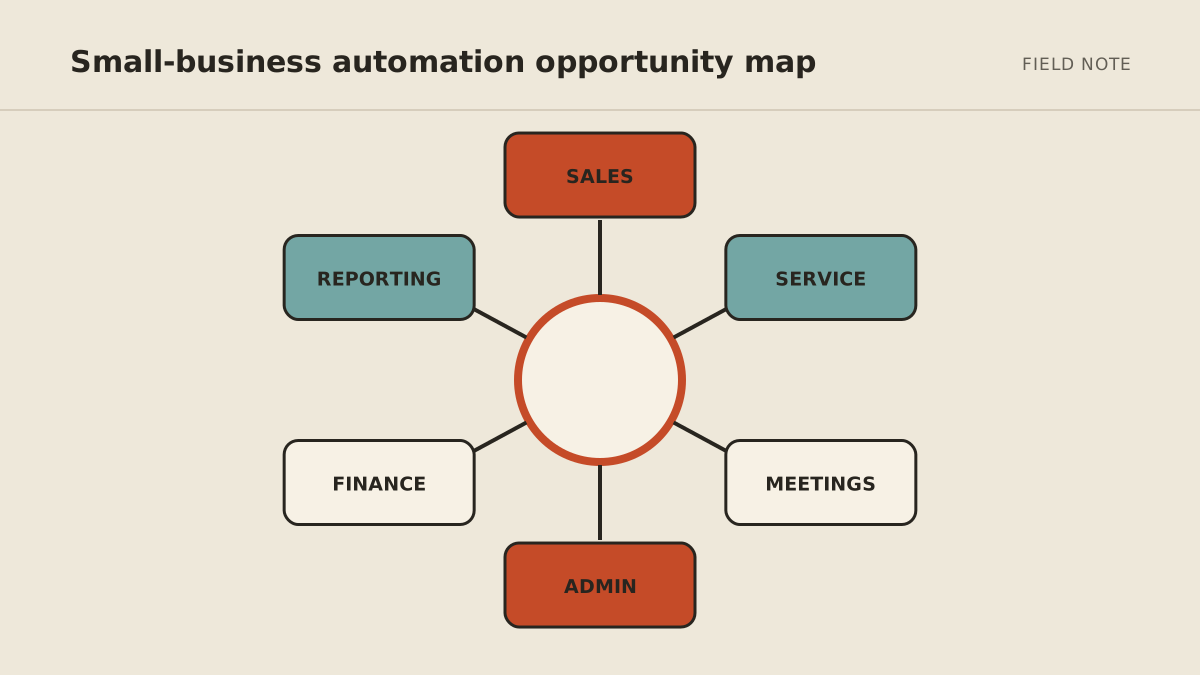
Small-business owners can use AI to automate the preparation around sales, service, operations, and reporting without delegating the final judgment. The best candidates are repeated tasks where the AI can read defined sources, prepare a checkable result, and pause before it commits the business to anything.
Below are fifteen practical starting points. Each one includes the minimum access the job needs and the part a person should retain.
Sales and lead management
1. Sort new leads
AI can read a form submission, identify the requested service, check whether required details are present, and route the lead to the right pipeline or person.
Minimum access: form responses and permission to create or label a CRM record.
Keep human: deciding unusual fit, priority, or exceptions that affect how the prospect is treated.
2. Research a prospect before a call
An assistant can gather public facts from the prospect's website and other approved sources, summarize what the company does, and prepare questions tied to the stated need.
Minimum access: the lead record and public web research.
Keep human: judging whether the facts are reliable and choosing the relationship strategy.
3. Draft the first response to an inquiry
AI can acknowledge the request, answer routine questions from approved material, and suggest the next step. A draft can arrive within minutes even when the owner is busy.
Minimum access: the inquiry, approved service information, and draft access to email.
Keep human: approval before sending until the message types, tone, and qualification rules are well tested.
4. Notice leads that went quiet
Instead of relying on memory, an automation can find open opportunities with no recent reply and prepare a short follow-up using the conversation history.
Minimum access: CRM status and relevant message history.
Keep human: deciding whether another message is appropriate, especially after an objection or opt-out.
Customer service and retention
5. Triage a shared inbox
AI can group messages by subject and likely urgency, identify those needing a decision, and separate routine notifications from customer requests.
Minimum access: read access to one shared inbox; labeling permission if desired.
Keep human: complaints, sensitive information, refunds, and any case where urgency is uncertain.
6. Draft answers to common questions
An assistant can use a maintained policy or knowledge base to prepare replies about hours, scheduling, service areas, onboarding, or ordinary process questions.
Minimum access: incoming messages, approved reference material, and draft permission.
Keep human: exceptions, promises, disputed policies, and anything not supported by the source material.
7. Summarize customer feedback
AI can group reviews, surveys, and support notes into recurring themes, then link each theme to examples so the owner can inspect the evidence.
Minimum access: selected feedback sources, preferably with unnecessary personal data removed.
Keep human: deciding whether a complaint represents a broad problem and what should change.
Meetings and daily operations
8. Prepare for meetings
Before a meeting, an assistant can assemble the agenda, recent correspondence, open tasks, relevant documents, and unresolved questions in one brief.
Minimum access: the calendar entry plus specific message, task, and file locations.
Keep human: selecting sensitive context and setting the meeting's real objective.
9. Turn meeting notes into tasks
AI can extract decisions, owners, and due dates from notes or a transcript, then prepare tasks for review.
Minimum access: meeting notes and draft access to the task system.
Keep human: confirming that a commitment was actually made and that the owner and deadline are correct.
10. Process incoming documents
An automation can identify the document type, extract named fields, flag missing items, use a consistent filename, and route the file to the correct folder.
Minimum access: one intake location and narrowly scoped file or database permissions.
Keep human: approval, interpretation, and decisions involving contracts, finances, health, employment, or regulated records.
11. Monitor a changing source
AI can check a defined set of vendor pages, public notices, competitor pages, or internal status sources and report only material changes.
Minimum access: the named sources and a destination for the brief.
Keep human: deciding what the change means and whether the business should respond.
Finance and administration support
12. Prepare invoice reminders
An automation can identify invoices that match an overdue rule, check whether a reminder has already been sent, and draft a courteous message with the correct invoice details.
Minimum access: read access to invoice status and draft access to the communication channel.
Keep human: disputes, payment plans, fee waivers, account holds, and final approval to send.
13. Categorize receipts for review
AI can extract merchant, date, amount, and likely category, then flag low-confidence or duplicate items for a person.
Minimum access: a receipt inbox or folder and a review queue—not unrestricted banking access.
Keep human: final accounting treatment, tax decisions, and reconciliation to the source of truth.
14. Check forms for missing information
Before someone begins work, AI can compare an intake form with a required-field checklist and draft a request for anything missing.
Minimum access: submitted forms and the approved completeness rules.
Keep human: deciding whether an exception is acceptable and reviewing requests involving sensitive information.
Owner reporting
15. Prepare a weekly business brief
An assistant can collect a small set of trusted measures, compare them with the previous period, explain notable changes, and list decisions that need the owner.
Minimum access: read-only access to the named reports or exports.
Keep human: confirming the numbers, investigating causes, and making decisions.
How to choose your first task
Do not choose by how impressive the demo looks. Shortlist tasks using four practical filters.
| Question | Better first candidate | Poorer first candidate |
|---|---|---|
| How often does it happen? | Weekly or daily | Rarely |
| Is the expected output clear? | A defined brief, draft, label, or record | “Use your judgment” |
| Can you spot a mistake quickly? | Source and output are easy to compare | Errors appear weeks later |
| What happens if it is wrong? | Low-impact and reversible | Costly, public, sensitive, or irreversible |
Pick the task with the best combination, then measure the manual baseline for two weeks. A ten-minute daily task may be more valuable than a three-hour quarterly task because it creates constant interruption.
Use the minimum-access version first
Most of these tasks can begin one permission level lower than full automation:
- Read: the AI gathers and summarizes, but cannot change anything.
- Draft: it prepares a reply, task, or proposed update for approval.
- Act: it completes a bounded, proven action and records what happened.
Start with read or draft. Promote one action only after you have seen enough real examples to define the exceptions. The act, ask, or never framework is a useful way to formalize those limits.
What not to automate first
Avoid starting with hiring decisions, legal conclusions, tax treatment, medical decisions, large purchases, contract acceptance, public crisis responses, or deletion of important records. AI may help gather facts or prepare a draft, but accountable people and qualified professionals should make the consequential decision.
Also avoid a vague project such as “run my business.” It has no finish line and requires far more access than a first experiment can justify.
Turn one task into a working system
Once you choose a candidate, use the practical 2026 automation guide to score it and run a controlled 30-day rollout. If you prefer to configure the first version yourself, follow the no-code AI assistant setup guide.
MyAgnts is for owners who want someone else to build and maintain the operator behind the workflow. If one of these tasks is a repeated drag on your week, book a setup call. No job or process prep is required; we will identify a concrete starting point together.