Guides
How to Write an SOP: A Practical Small-Business Template
Learn how to write a useful standard operating procedure, with a copyable SOP template, a completed example, testing steps, and maintenance advice.
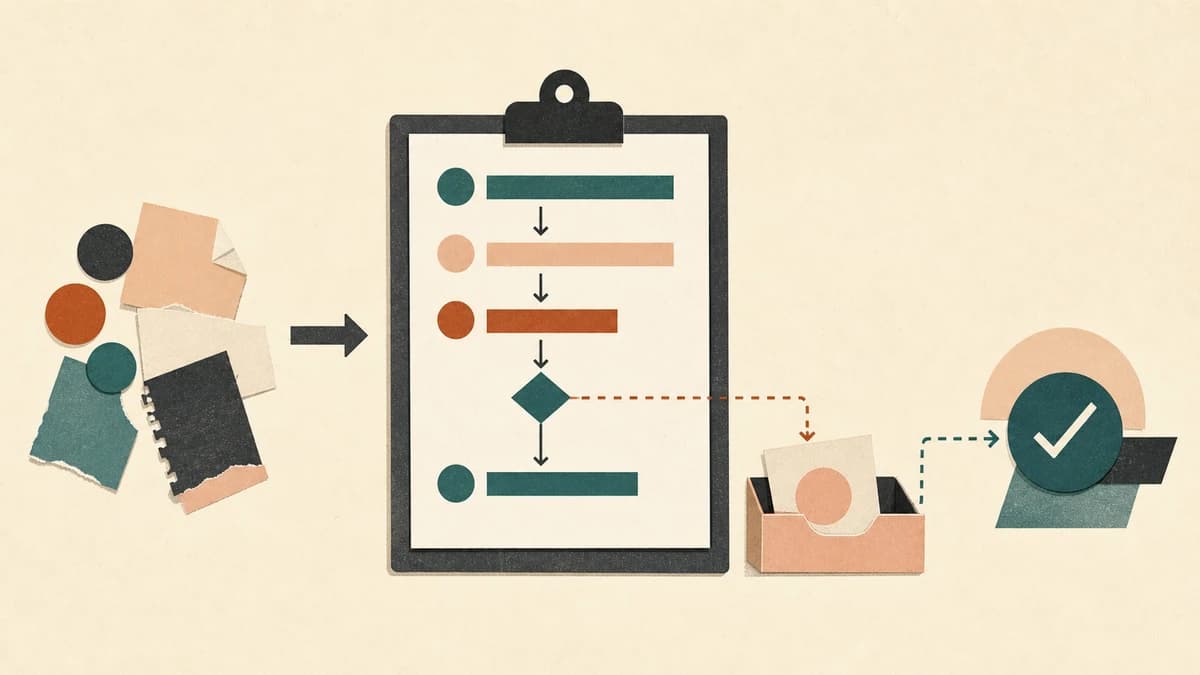
A standard operating procedure, or SOP, explains how your business completes one repeatable task. A useful SOP names the trigger, owner, required inputs, actions, decisions, exceptions, and the evidence that the work is finished.
A numbered list covers the happy path. The person doing the work also needs to know where the process starts, what access is allowed, and when to stop. This guide includes a copyable template and a completed overdue-invoice example.
What is a standard operating procedure?
An SOP is the agreed way to carry out a recurring task in a specific business. It turns one person's experience into instructions somebody else can test and improve.
Good candidates include:
- onboarding a client after a contract is signed;
- sending and following up on invoices;
- responding to a refund request;
- checking a shared inbox or preparing a monthly report.
Start with a task that has a clear beginning, owner, and finish. “Manage customer support” probably contains several SOPs.
SOP, process, policy, or checklist?
These documents often overlap, but they answer different questions.
| Document | Main question | Example |
|---|---|---|
| Policy | What rule or principle applies? | Refunds over $500 require owner approval. |
| Process map | How does work move among people or systems? | Request → review → approval → payment. |
| SOP | How do we complete this particular task? | Review and issue an approved refund. |
| Checklist | Which critical items must we confirm? | Amount verified; approval attached; customer notified. |
An SOP may link to a policy and end with a checklist. It should not copy everything into one manual.
How to write an SOP in seven steps
1. Choose a narrow start and finish
Name the event that begins the procedure and the result that ends it.
Too broad: Onboard clients
Useful: From signed proposal to scheduled kickoff call
The narrower version makes the boundary visible: lead qualification happened earlier, and delivery happens later.
2. Observe the task before documenting it
Run the task and take notes. If someone else normally does it, watch them or record a screen share with permission. Notice where they check another source, make a judgment, or repair an error. Collect the templates, forms, access roles, approval limits, sample output, and common failure cases the SOP must reference.
Link to those materials. Do not paste passwords, recovery codes, private keys, or customer secrets into the SOP.
3. Define the result and completion check
Write down what must be true when the procedure is complete. “Send the email” describes an action. “Email sent to the billing contact, message logged, and next review date scheduled” describes a result that can be checked.
A completion check might be a status change, saved document, approval, reconciliation, send log, or assigned exception. It gives the worker a finish line and the owner something concrete to test.
4. Write actions in the order they happen
Number the normal path. Begin each step with a verb and keep one main action in each step.
Instead of:
Handle the client details and get the kickoff ready.
Write:
- Open the signed proposal in the client record.
- Confirm the billing contact and project owner.
- Copy the kickoff agenda template into the client folder.
- Add the deliverables and dates from the proposal.
- Send the scheduling link to the approved contacts.
Name the field, status, folder, or template when it matters. Skip obvious instructions unless doing them incorrectly creates risk.
5. Add decisions, exceptions, and escalation
Put likely exceptions beside the step where they occur.
Use direct rules:
- If the billing contact is missing: stop and ask the account owner to update the client record.
- If the invoice amount differs from the signed proposal: do not send it; assign the item to finance review.
- If the customer disputes the charge: use the dispute procedure and do not continue the reminder sequence.
Name who decides and how the item is handed over. Use a role, queue, or documented route rather than “ask a manager.”
6. Test the SOP with a realistic case
Give the draft to someone who understands the business but did not write it. Use a test account or low-risk example. Watch for hidden knowledge, missing access, choices with no rule, unclear completion criteria, and instructions that no longer match the software. Add what is missing, then test that part again.
7. Assign maintenance to one role
Put the owner and last-reviewed date near the top. Review early when a tool, approval limit, responsibility, or recurring exception changes, or when a test or incident exposes a gap. Stable procedures can use a periodic calendar review; high-risk work may need one more often.
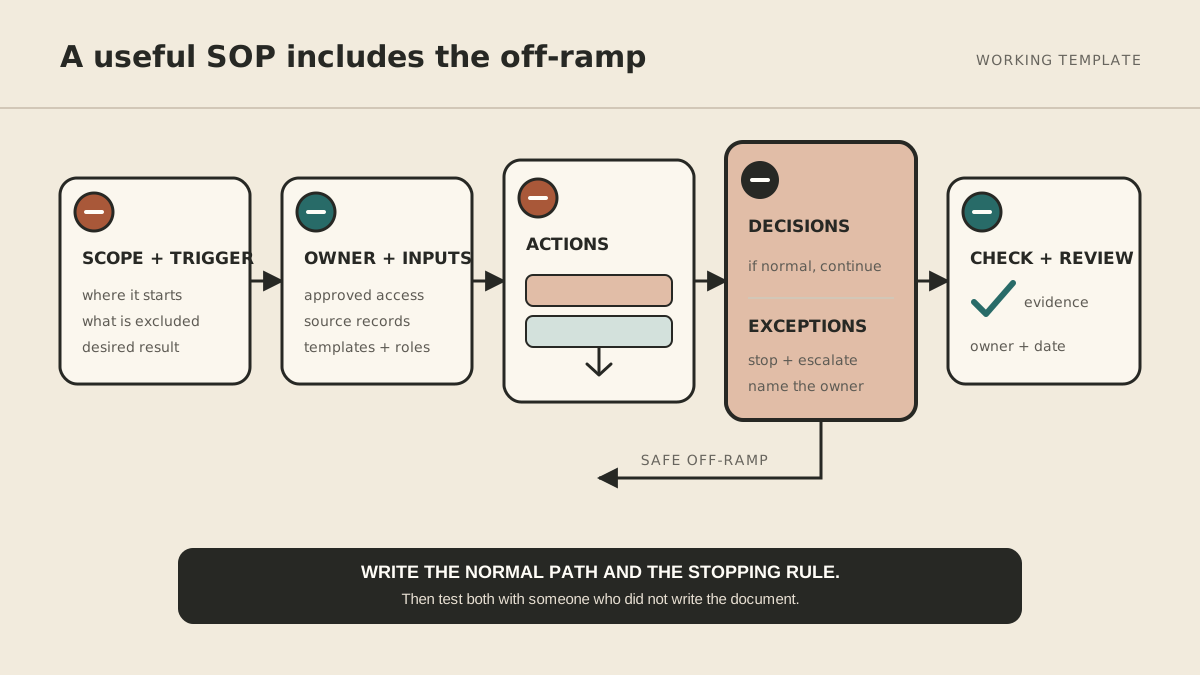
Copyable SOP template
Paste this into a shared document and remove fields that genuinely do not apply.
SOP title:

Purpose:
Why this procedure exists and what risk or result it addresses.

Scope:
What this SOP covers and what it does not cover.

Trigger:
The event, schedule, or request that starts the procedure.

Desired result:
What must be true when the work is complete.

Owner:
The role responsible for accuracy and maintenance.

Performed by:
The role or roles allowed to carry out the steps.

Required inputs and access:
Documents, systems, permissions, templates, and approved source records.

Procedure:
1. Start each step with a verb.
2. Name the system, field, template, or output when it matters.
3. Put a decision rule beside the step where the decision occurs.

Exceptions:
If [condition], then [safe action]. Do not [prohibited action].

Escalation:
Send [information] to [role or queue] through [route].

Completion check:
Evidence that the desired result was reached.

Records created:
What is saved, where it is saved, and who can access it.

Last reviewed:
YYYY-MM-DD by [role]

Review triggers:
Tool, policy, owner, incident, or recurring-exception changes.
Completed SOP example: follow up on an overdue invoice
Purpose: Follow up consistently while keeping disputes under human control.
Scope: Covers the first reminder for a past-due U.S. client invoice. Excludes disputes, collections, late fees, and legal notices.
Trigger: The accounting system shows an unpaid invoice one business day after its due date.
Desired result: The approved reminder is sent to the billing contact, the communication is logged, and a review date is scheduled.
Owner: Finance operations.
Performed by: Bookkeeper or operations assistant with invoice read access and permission to draft reminders.
Required inputs and access: Accounting system, agreement, invoice, billing contact, reminder template, and communication log. No permission to change the amount, terms, or bank details.
Procedure:
- Open the invoice from the accounting-system alert.
- Confirm that the balance remains unpaid and no payment is pending.
- Compare the amount, due date, and billing contact with the issued invoice.
- Check the communication log for a dispute, payment promise, or requested billing change.
- If the record is clear, copy the first-reminder template and insert the invoice number, original due date, and secure payment link.
- Review the recipient, amount, dates, and link against the source invoice.
- Send the reminder from the billing address.
- Log the send time and schedule the next review according to the approved billing policy.
Exceptions: If the invoice is disputed, the amount differs, the contact changed, or payment appears pending, do not send. Assign it to finance operations with the mismatch.
Completion check: Sent message appears in the billing mailbox, the communication log includes the send time, and the next review date is visible.
Records created: Sent email and communication-log entry. Store no card or bank credentials in the SOP or log.
Last reviewed: 2026-07-31 by finance operations.
Review triggers: Billing-policy change, accounting-system change, disputed reminder, or recurring contact mismatch.
For the broader money-in workflow, see How to Automate Invoicing for a Small Business.
When should you automate an SOP?
Documentation makes automation easier to evaluate because the trigger, allowed actions, decisions, and completion check are visible. It does not mean every step should run unattended.
Good candidates are bounded, reversible actions such as preparing a draft, creating a folder, updating a tracker, or scheduling a reminder. Money, public communication, deletion, sensitive records, and commitments need clearer approval boundaries. Use the act, ask, or never framework to set them.
MyAgnts can help with repeatable preparation, follow-up, and monitoring once the SOP is clear. The no-code assistant setup guide explains how to build the workflow yourself. Keep the system of record and escalation owner explicit either way.
Write the SOP while doing the work
Document one recurring task the next time it happens. Include the exception you normally solve from memory, then hand the draft to someone else and watch where it breaks.