Sales
How to Use an AI Agent to Follow Up With Every New Lead
Build an AI lead-follow-up workflow that captures, qualifies, drafts, records, reminds, and hands off—without ignoring consent or approval boundaries.

An AI agent can help you follow up with every eligible new lead by watching approved intake channels, checking the record, preparing a relevant response, logging the work, and scheduling the next step. It should not blindly message every address it finds.
The workflow needs rules for duplicates, incomplete forms, qualification, consent, opt-outs, sensitive requests, approval, and handoff. “Send three emails to everyone” is not a lead system.
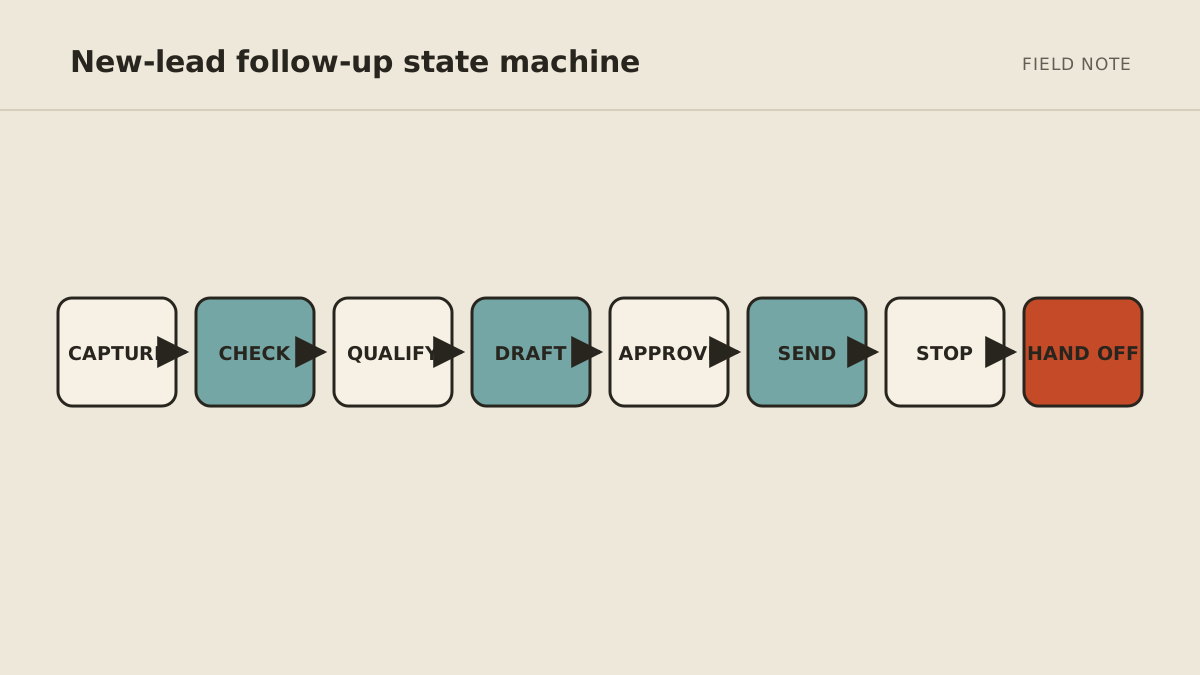
The workflow at a glance
New lead
  → validate source and required fields
  → check duplicate and suppression status
  → qualify with written rules
  → enrich only from approved sources
  → draft acknowledgement or response
  → approve when required
  → send through an authorized channel
  → update CRM and schedule next step
  → stop on reply, opt-out, handoff, or sequence limit
Each arrow needs a visible success or failure state. If the CRM update fails, the system should not keep sending as if the record were current.
Step 1: define which leads enter the workflow
Name the intake sources: website form, booking request, approved referral inbox, marketplace inquiry, event list, or CRM record created by a person.
Do not let the agent scrape arbitrary contact details and decide that every person is a lead. Source affects what the person expected, what information you may use, and which communication rules apply.
Define the minimum record:
- name;
- reply address or approved channel;
- source and timestamp;
- expressed need;
- consent or preference fields your process requires;
- owner or queue; and
- current suppression or opt-out status.
If a required field is missing, route the record to an incomplete queue or prepare a request for the missing information. Do not fill gaps with guesses.
Step 2: check duplicates and suppression first
Before research or drafting, search the CRM and suppression list using the identifiers your business trusts.
The agent should distinguish:
- a new person;
- an existing contact with a new inquiry;
- an open opportunity already owned by someone;
- a duplicate form submission;
- a former customer; and
- a contact who opted out or must not be messaged.
Suppression wins. A fresh form does not automatically erase a prior preference; route ambiguity to a person or the compliance logic your business has adopted.
Step 3: qualify with written rules
Translate sales intuition into observable checks. For example:
- requested service is one you offer;
- location is within the service area;
- timing is realistic;
- budget information, if requested and voluntarily provided, meets a stated threshold; and
- the request is not an excluded category.
Use three results: qualified, not a fit, and needs review. The third prevents the agent from forcing a decision when the form is ambiguous.
Do not use sensitive personal traits or unsupported inferences as qualification shortcuts. Keep the rules connected to the service and the information the person provided for that purpose.
Step 4: enrich narrowly and show sources
For a business lead, public company information may help the reply become relevant. The agent could identify the company's stated service, location, or recent announcement from its official website.
Limit enrichment to named public sources and the job's purpose. Store the source URL and distinguish a source fact from the agent's inference.
Avoid collecting extra personal information because it might be useful later. More data creates more privacy and accuracy risk without necessarily improving the reply.
Step 5: prepare the first response
The draft should do four things:
- acknowledge what the person actually asked;
- answer only from approved business material;
- ask for one missing item if it blocks the next step; and
- offer a clear next action.
For a high-fit lead, that may be a booking link or two suggested times. For an incomplete lead, it may be one concise question. For a poor fit, it may be an honest decline or referral policy approved by the business.
Avoid fake personalization. Mentioning a prospect's homepage slogan adds less value than answering the question they submitted.
Step 6: choose the approval boundary
Begin with every external message in draft mode. Review enough real cases to identify which low-risk acknowledgements are stable.
Even after testing, require approval when:
- price, discount, refund, or contract terms are mentioned;
- the message promises a date or resource;
- the lead is sensitive, upset, or unusually valuable;
- the record conflicts with the new submission;
- the draft uses information from outside the submitted request; or
- confidence is low.
The approval view should show recipient, channel, exact text, source facts, CRM changes, and the next scheduled action.
Step 7: send through an authorized channel
The sending system—not the model—should enforce allowed recipients, templates where required, sequence limits, quiet hours, suppression, and an immediately available stop mechanism.
For U.S. commercial email, the FTC's CAN-SPAM compliance guide explains requirements including accurate headers and subject lines, identification and address rules, a clear opt-out method, prompt honoring of opt-outs, and responsibility for vendors sending on your behalf. Texting and calling have different rules, including FCC requirements; do not copy an email workflow into SMS or voice without reviewing the applicable consent and messaging rules.
This article is operational guidance, not legal advice. Confirm the laws, platform terms, and industry requirements that apply to your recipients, location, and channel.
Step 8: update the CRM as part of the same job
After an approved send, record:
- message timestamp and channel;
- exact content or a durable reference to it;
- sources used for qualification;
- current stage and owner;
- next action and due date;
- approval identity where applicable; and
- automation run status.
Use an idempotency key or equivalent unique run marker if your platform supports it so a retry does not create a duplicate record or message.
If the send succeeds but the CRM update fails, alert a person and stop the sequence until state is reconciled.
Step 9: schedule follow-up that knows when to stop
A follow-up sequence should stop when the person replies, opts out, books, is marked not a fit, is handed to a human, or reaches the written attempt limit.
Before each follow-up, recheck those conditions. Do not schedule three messages on day one and assume the record will remain unchanged.
Each later draft should reflect the real conversation. Repeating “just circling back” is automation without assistance.
Step 10: hand off with context
When a lead needs a person, deliver a short handoff:
- why it was escalated;
- the original inquiry;
- verified facts and source links;
- previous messages;
- missing decisions; and
- the next action the agent proposes.
The goal is not merely to notify the owner. It is to let the owner decide without reconstructing the case.
Copyable operating instructions
GOAL
Prepare every eligible lead from [approved sources] for a timely response.

BEFORE DRAFTING
1. Confirm required fields.
2. Check CRM duplicates, open ownership, and suppression status.
3. Apply only the qualification rules in [named source].
4. Use public enrichment only from [named sources] and save URLs.

DRAFT
Answer the submitted need using [approved service source].
Do not invent pricing, availability, facts, or familiarity.
Offer [approved next action].

ASK BEFORE
Any external send; price or promise; sensitive or upset lead; conflicting record;
low-confidence qualification; or use of information beyond the inquiry.

NEVER
Message a suppressed contact, change consent status, use sensitive traits,
send beyond the sequence limit, or continue after reply, opt-out, booking, or handoff.

ON FAILURE
Stop the sequence, preserve completed work, and show the owner the failed step.
Test the five paths that break weak workflows
Before launch, run historical examples for:
- a normal complete qualified lead;
- an incomplete submission;
- a duplicate with an open owner;
- a high-value or sensitive inquiry needing fast human handoff; and
- an opted-out or otherwise suppressed contact.
Then test tool failure: CRM unavailable, email draft failure, and a successful send followed by failed logging. The workflow should fail visibly and avoid duplicates on retry.
Measure more than reply speed
Track eligible leads processed, time to reviewed first response, draft approval rate, major edit rate, duplicate attempts prevented, suppression errors, handoff time, tool failures, and booked next steps.
Do not attribute every closed sale to the agent. The workflow may improve consistency and response preparation while the salesperson, offer, timing, and lead quality determine the outcome.
Build the first version with the no-code assistant setup guide, and review business-tool access safety before connecting live CRM and communication permissions.
MyAgnts can implement and operate this kind of cross-tool workflow with explicit approval points. Review the managed lead follow-up agent to see the operating model. If new leads regularly wait because the owner is busy, book a setup call. No task prep is required; we will learn how intake and follow-up work today and map a practical setup.