Guides
How to Reduce No-Shows: Reminders That Work
Reduce appointment no-shows with a practical reminder cadence, ready-to-use text templates, easy rescheduling, waitlists, and simple measurement.
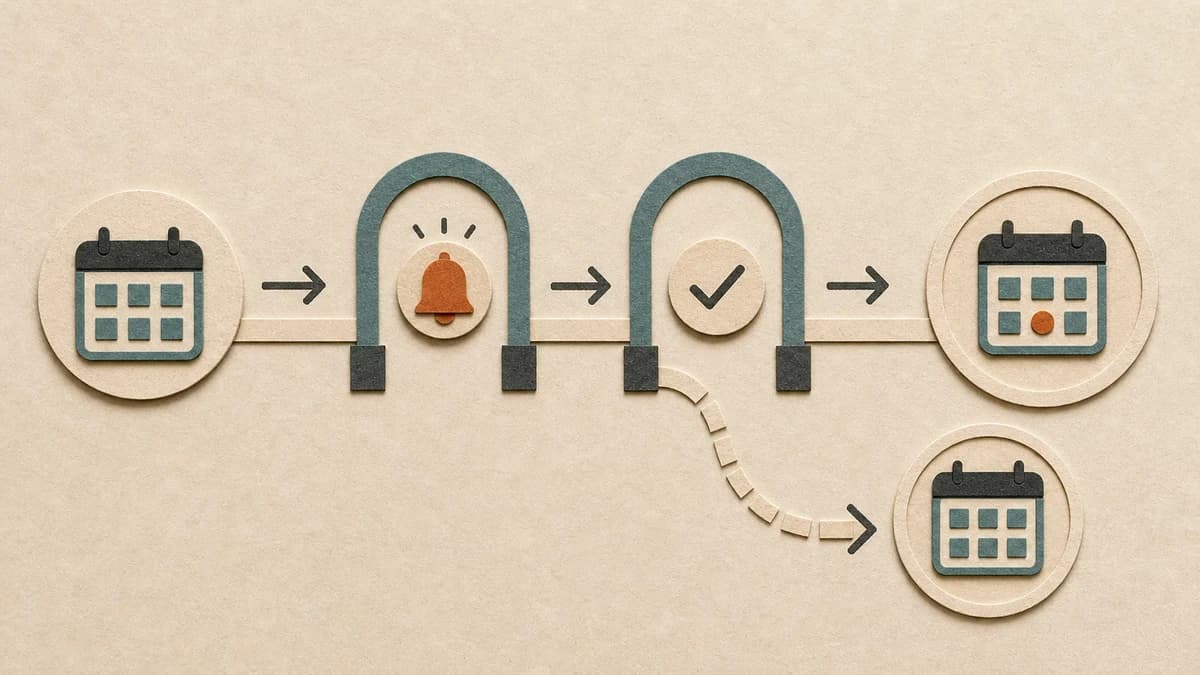
A practical starting point for reducing no-shows is a clear confirmation at booking, a reminder early enough to reschedule, and a short final reminder near the appointment. Every message should offer an easy way to confirm, cancel, or move the slot. Then use your attendance data to decide whether that cadence fits each appointment type.
Reminders are well supported in healthcare research. A broad evidence review of appointment systems found consistent evidence that simple reminders improve attendance, while the size of the effect varies across settings. That is a better basis for action than a universal promise that texts will cut no-shows by a specific percentage.
Start with a three-touch appointment reminder system
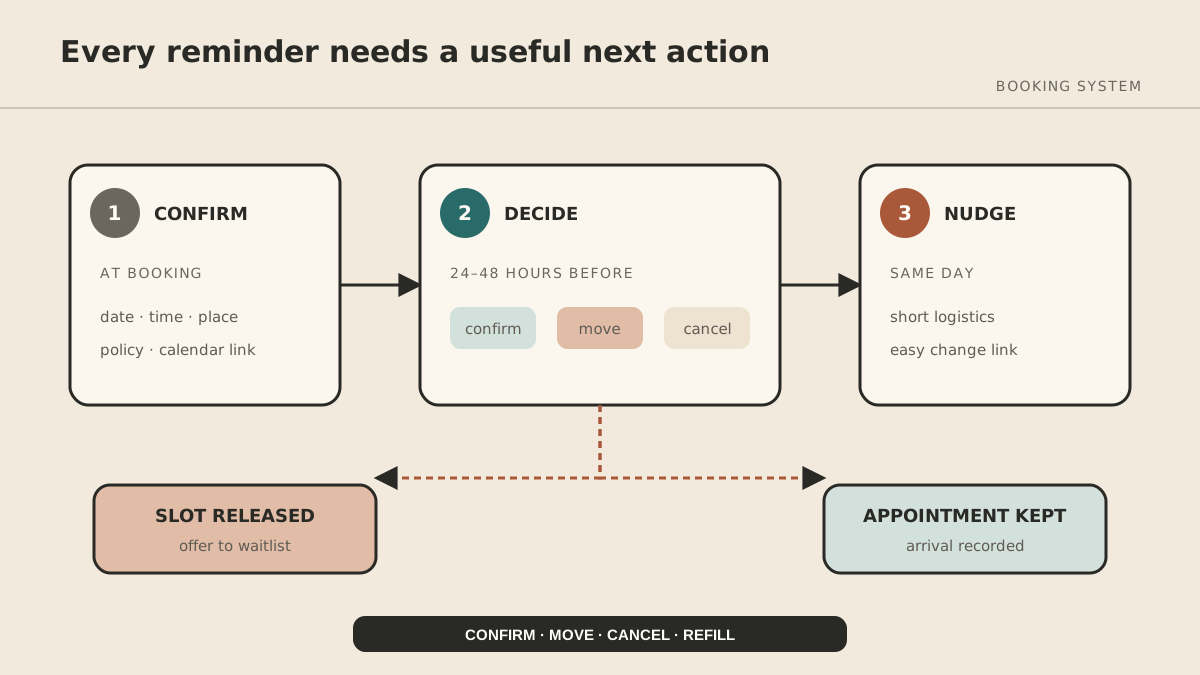
1. Confirm immediately after booking
Send the date, time, time zone, location or meeting link, service, preparation requirements, and cancellation policy. Include an “add to calendar” link when your booking system supports it.
The confirmation prevents errors while the booking is fresh. Ask the customer to reply if anything looks wrong.
2. Send an actionable reminder 24–48 hours before
This is the decision message. It should give the person enough time to move the appointment and give you enough time to refill the slot.
Hi [First name]—a reminder from [Business] for [Service] on [Day, Date] at [Time]. Reply C to confirm or R to reschedule: [link].
If preparation matters, link to the details instead of turning the reminder into a wall of text.
3. Send a short same-day reminder
Use this as a practical nudge, not another policy notice.
Today at [Time]: [Service] with [Business]. [Address or meeting link]. Need to change it? [link]
For very early appointments, send the final reminder the evening before. Use the customer's time zone and respect applicable quiet-hour rules.
Make rescheduling easier than disappearing
A reminder that says “see you tomorrow” identifies the problem without solving it. Give people a direct booking link or a simple reply instruction. Avoid requiring a phone call during limited office hours unless your customers genuinely prefer it.
When someone cancels:
- release the slot automatically;
- offer appropriate alternatives;
- notify a permission-based waitlist;
- record the outcome as a cancellation or reschedule—not a no-show.
This distinction matters. A timely cancellation gives you a chance to recover capacity. Your reporting should reward that behavior rather than hiding it inside one “missed” category.
Write appointment reminder texts people can trust
Every reminder should answer four questions at a glance:
- Who is contacting me?
- What is booked, and when?
- Where do I go?
- What should I do if plans changed?
Useful templates:
Confirmation request
[Business]: Please confirm your [Service] on [Day] at [Time]. Reply YES to confirm or use [link] to reschedule.
Missing confirmation
We have not received your confirmation for [Day] at [Time]. Your slot is still reserved. Confirm or change it here: [link].
Waitlist offer
An appointment opened on [Day] at [Time]. If you would like it, book here: [link]. The slot remains available until booked.
Do not include sensitive details in a text preview. For healthcare businesses in the United States, HHS says appointment reminders are treatment communications under HIPAA, but that does not remove the need for appropriate safeguards or compliance with other messaging and privacy rules. Use a provider that supports consent records and opt-outs, and get qualified advice for your jurisdiction and industry.
Use deposits selectively
Deposits or card-on-file policies may be appropriate for long services, scarce peak slots, custom preparation, or repeated no-shows. They can also create friction and access problems.
Before adopting one:
- state the amount and refund window before booking;
- distinguish a cancellation from a no-show;
- allow a reasonable exception process;
- apply the rule consistently;
- check local and industry-specific requirements;
- measure whether bookings fall as well as whether attendance rises.
Do not introduce a fee merely because a template said it was “best practice.” The right policy depends on the value of the slot and the relationship you want with customers.
Measure the no-show system, not just the no-show rate
Use four numbers each month:
No-show rate
no-shows ÷ appointments that were expected to occur × 100
Advance cancellation rate
cancellations before the cutoff ÷ scheduled appointments × 100
Reschedule rate
appointments moved to a new time ÷ scheduled appointments × 100
Refill rate
cancelled slots booked by someone else ÷ slots released in time to refill × 100
Segment the numbers by service, day, time, lead time, and first-time versus returning customer. A high no-show rate for Monday 8 a.m. consultations may need a different solution from a high rate among appointments booked six weeks ahead.
Run one change at a time for four weeks: add the 48-hour confirmation, shorten the message, or improve the reschedule link. Compare against the previous period while noting holidays or seasonal changes. This will not produce a perfect experiment, but it is more informative than changing the cadence, policy, and channel together.
Automate carefully
Your booking product may already support confirmations, reminders, cancellations, and waitlists. Start there. Use a more flexible workflow only when the built-in rules cannot express your process.
MyAgnts can help implement a managed workflow that prepares or sends approved reminders, records outcomes, and routes exceptions to a person. Customer communication and calendar changes need explicit permissions, duplicate protection, and a clear system of record; an agent should not improvise policy or contact people outside the approved audience.
Frequently asked questions
When should I send an appointment reminder?
Start with a confirmation at booking, an actionable reminder 24–48 hours before, and a short same-day reminder. Adjust from your own attendance and cancellation data.
Is text better than email?
Text is useful for short, time-sensitive prompts. Email is better for detailed preparation or attachments. Many businesses use both, but channel consent and customer preference should guide the choice.
Should I send one reminder or two?
Two serve different jobs: the earlier message creates time to change the booking; the later one helps with memory and logistics. If message fatigue rises, test the cadence rather than assuming more is always better.
If missed appointments are falling through gaps between your calendar, messaging provider, and waitlist, book a MyAgnts setup call. No policy or outcome prep is required; we will learn how the process works and identify what evidence a sensible pilot would need.