Automation
How to Automate Data Entry Without Losing Control
A practical way to automate repetitive data entry: map one workflow, define validation rules, route exceptions to a person, and test the result.
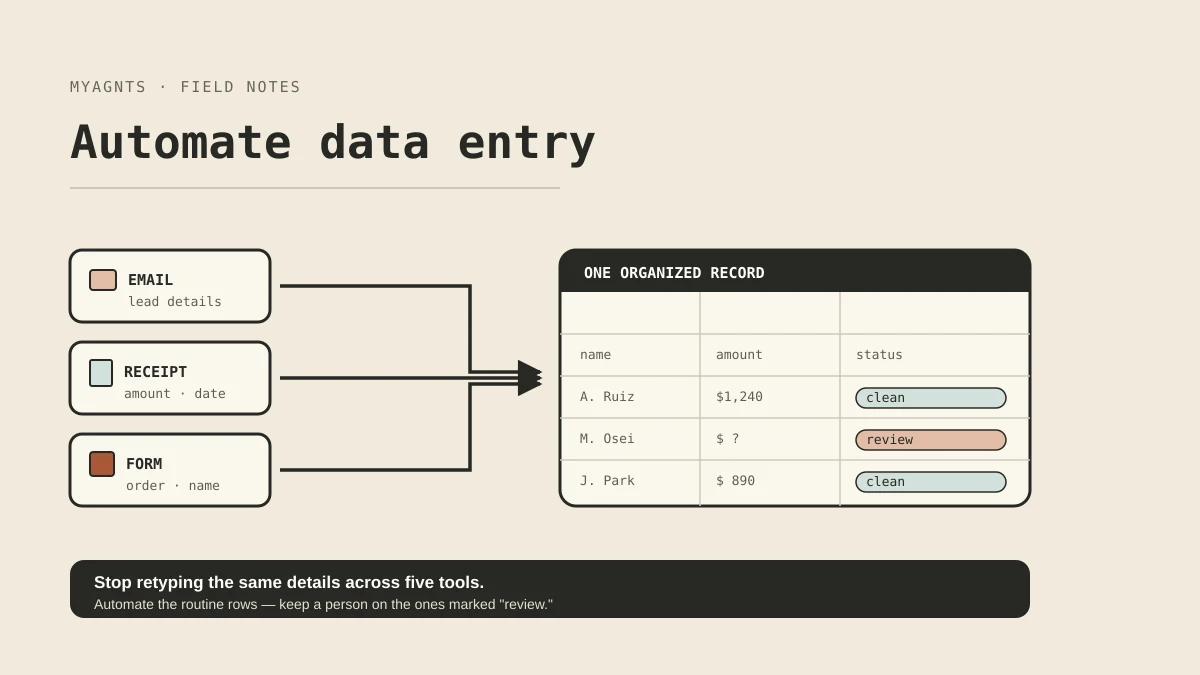
Data entry is a good candidate for automation when the same information arrives in a familiar format, follows clear rules, and ends up in the same system. The safe version is not “let software type everything.” It is a small pipeline that checks each record, writes the routine ones, and sends the uncertain ones to a person.
Start with one recurring flow: website inquiries into a CRM, supplier invoices into an approval sheet, or intake forms into a client record. If you cannot describe one record from arrival to completion, the workflow is not ready to automate.
First, decide whether the workflow is ready
Take ten recent examples and answer these questions:
| Question | A useful sign | A warning sign |
|---|---|---|
| Where does the record arrive? | One form, inbox, or folder | Calls, DMs, notes, and several inboxes |
| Which fields matter? | A short, stable list | The required fields change case by case |
| What counts as valid? | Rules can be written down | Correctness depends on unwritten judgment |
| Where is the final record kept? | One named system of record | Several copies are treated as authoritative |
| What happens when data is missing? | There is a clear review or follow-up path | The system must guess or silently skip it |
Mostly left-column answers mean you can probably run a narrow pilot. Warning signs do not mean automation is impossible. They usually mean the process needs cleanup first.
Map one record before choosing a tool
Use a real example and write down its route:
Trigger: A new project inquiry reaches the website form.
Required fields: Name, email, company, requested service, source, and consent status.
Validation: Email has a valid shape; requested service matches an allowed value; consent is recorded.
Destination: Create one lead in the CRM.
Duplicate check: Match on normalized email address.
Exception: Missing consent, an existing contact, or an unrecognized service goes to review.
Completion: The CRM record has a source timestamp and a link back to the submission.
This field map is more important than the software. It gives you something concrete to configure, test, and review. It also exposes decisions that are easy to miss, such as whether an updated form submission should create a new record or change an existing one.
Build the workflow in five parts
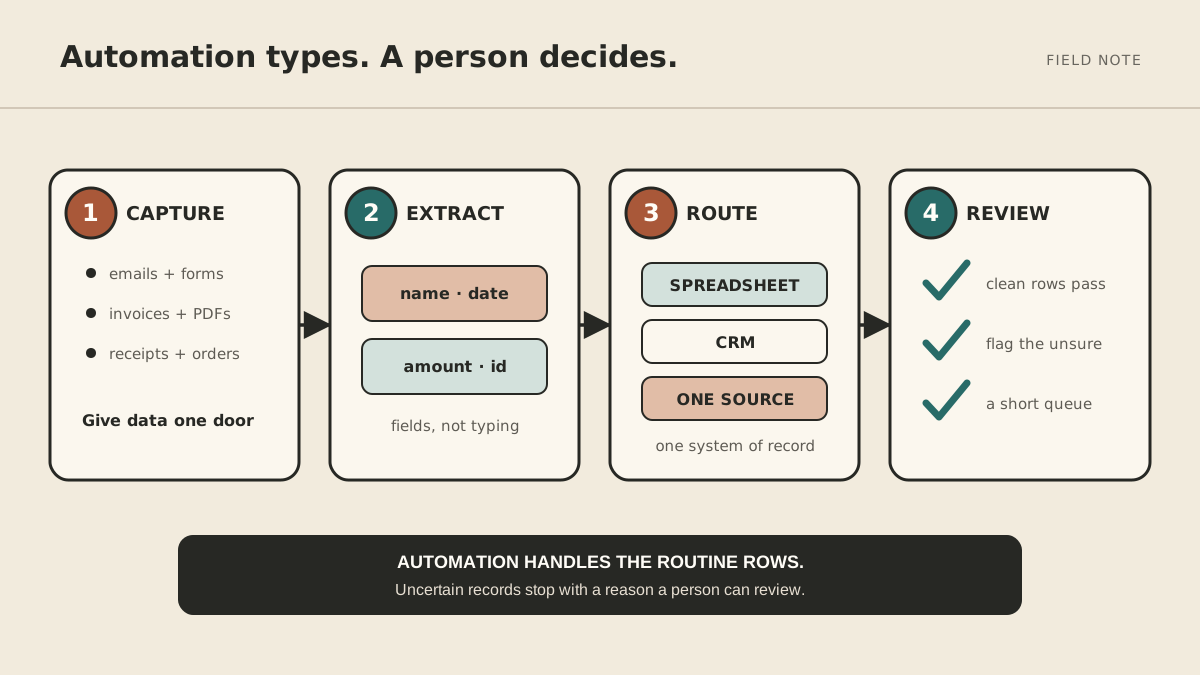
1. Give the information a dependable entry point
Structured inputs are easier to automate than loose messages. If possible, replace “send us the details” with a form that asks for the fields you actually use. Do not collect information merely because it might be useful later.
When the source cannot be standardized, keep the extraction step narrow. An invoice parser, for example, might read the supplier, invoice number, date, and total. It should not infer an approval decision that belongs to the owner.
2. Normalize without changing meaning
Convert dates to one format, trim extra spaces, and map known labels to the values accepted by the destination. Preserve the original submission or a link to it so a reviewer can check what the sender actually provided.
3. Validate before writing
Define checks for required fields, allowed values, duplicates, and relationships between fields. A total can be numeric and still be wrong. Validation should catch what your rules can prove, then stop short of pretending it understands the rest.
4. Separate routine records from exceptions
Create a short review queue with a reason attached to every item: missing project type, possible duplicate, or total does not match line items. “Needs review” without an explanation only moves the clerical work to a different screen.
5. Write once and leave a trace
After validation or approval, write to the named system of record. Store the source, time, result, and any reviewer action. That trace makes duplicate prevention, correction, and troubleshooting much easier.
Set an exception policy before the pilot
For each field, decide what the automation may do when the value is missing or unclear.
| Situation | Act | Ask | Never |
|---|---|---|---|
| Optional field is blank | Save it as blank | — | Invent a value |
| Required field is blank | — | Put the record in review | Silently discard the record |
| A likely duplicate appears | — | Show both records to a reviewer | Merge records automatically |
| A value fails a known rule | — | Name the failed rule | Rewrite the source to make it pass |
| Destination is unavailable | Retry under a defined limit | Alert the owner after the limit | Create an untracked second copy |
The exact boundaries will vary, but writing them down prevents “automation” from becoming a series of hidden guesses.
Test with real examples, including awkward ones
Run historical records through the workflow without allowing it to write anything. Include clean examples, missing fields, duplicates, unusual characters, forwarded emails, and documents with layouts you rarely see.
For each test, record:
- the expected destination and fields;
- whether it should pass or stop;
- the reason an exception should show;
- what the workflow actually did;
- the correction required.
Only move to live records when the routine cases and the failure paths behave as expected. During the first live week, review every result. Later, you can reduce review for cases with clear rules and a stable track record.
Where a managed agent can help
A fixed integration is often enough when the source and destination never change. A managed agent becomes more useful when the surrounding work includes reading messages, requesting a missing detail, preparing a record for approval, or summarizing an exception queue.
Those actions still need explicit permissions. A sensible first version might read from one approved inbox, draft a request for missing information, and wait for approval before sending or changing a customer record. Our guide to choosing a first workflow for a managed AI agent explains how to decide whether that extra coordination is worth it.
A small pilot is the finish line
Choose one source, one record type, and one destination. Define the fields, validation rules, exception policy, and audit trace. Then test the workflow against examples you already understand.
The best first result is not a fully automated back office. It is a boring, inspectable pipeline that removes repeated typing without hiding uncertain decisions.